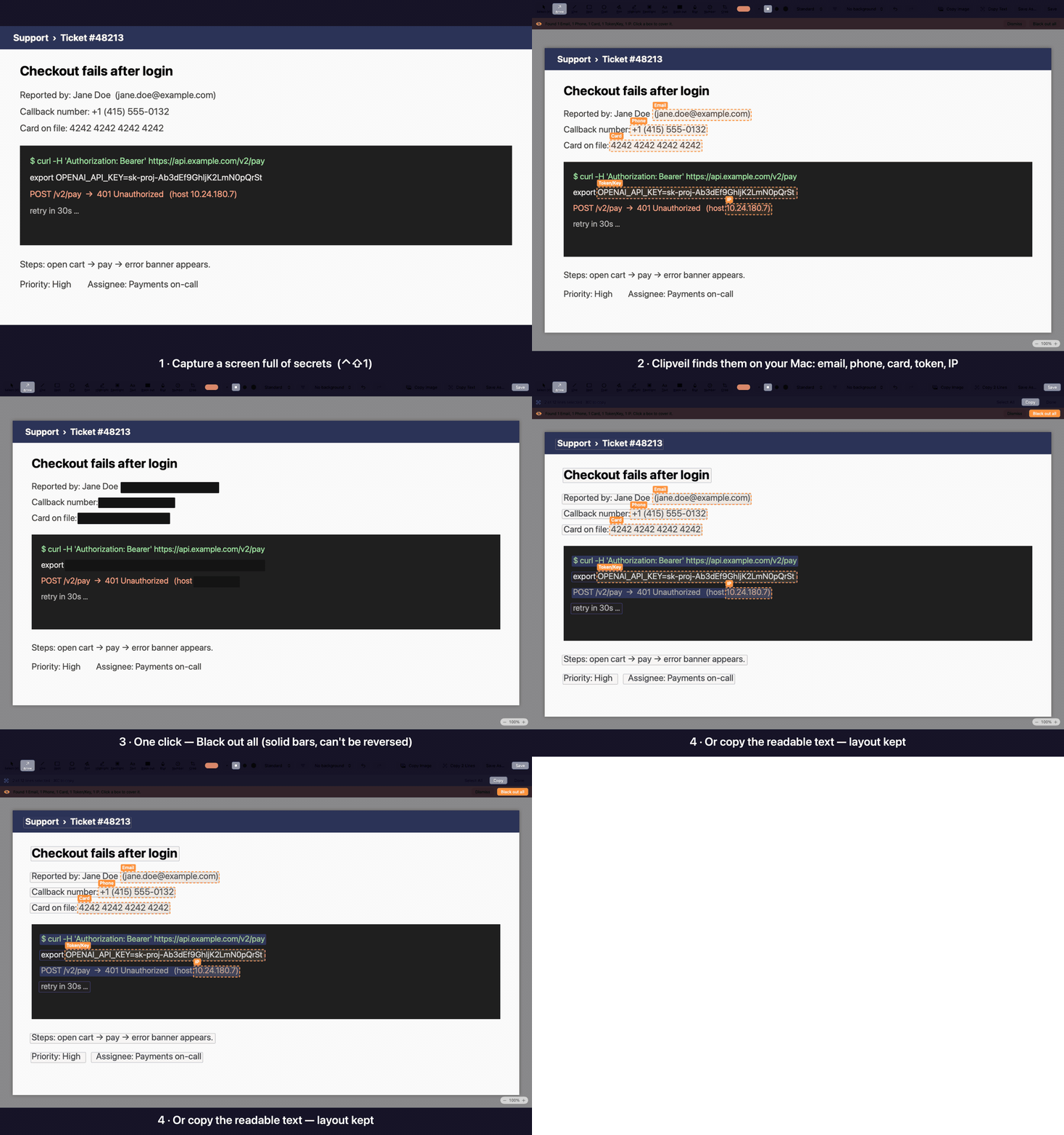
Capture, annotate and redact in seconds — then paste into Slack, Jira or email without leaking emails, tokens or customer data. Native, fast, and 100% on your Mac.
Launching soon · macOS 14 Sonoma or later · Apple silicon & Intel · 14-day Pro trial, no account needed
All data in the demo is made up.
A focused screenshot tool for people who share screenshots at work.
Global shortcuts, freeze-screen selection and a pixel magnifier. Re-capture the previous area in one key.
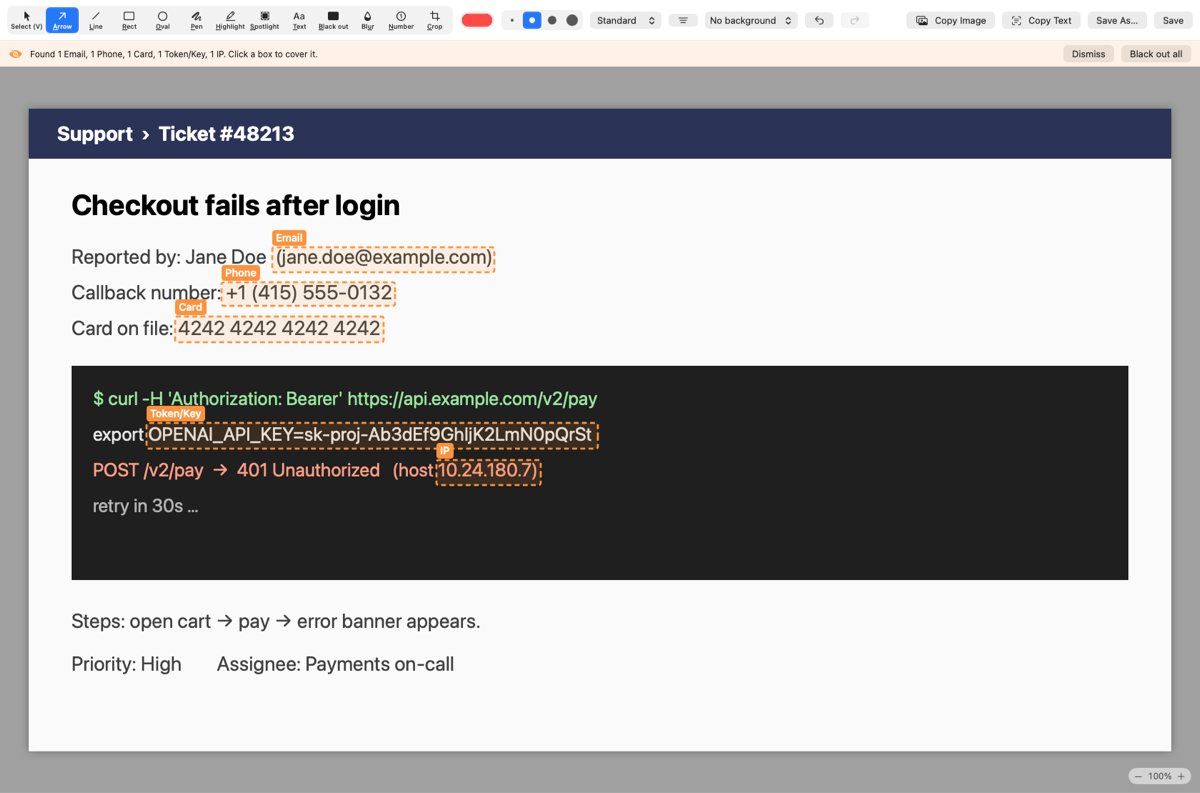
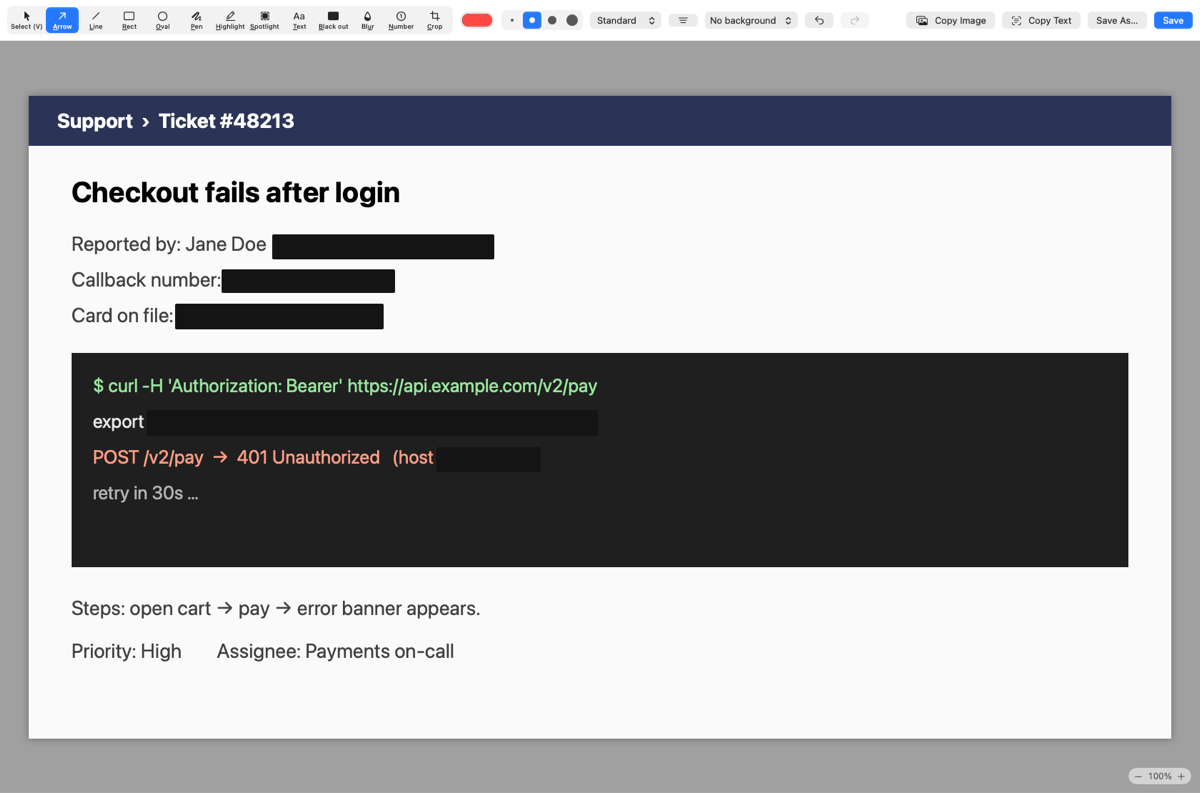
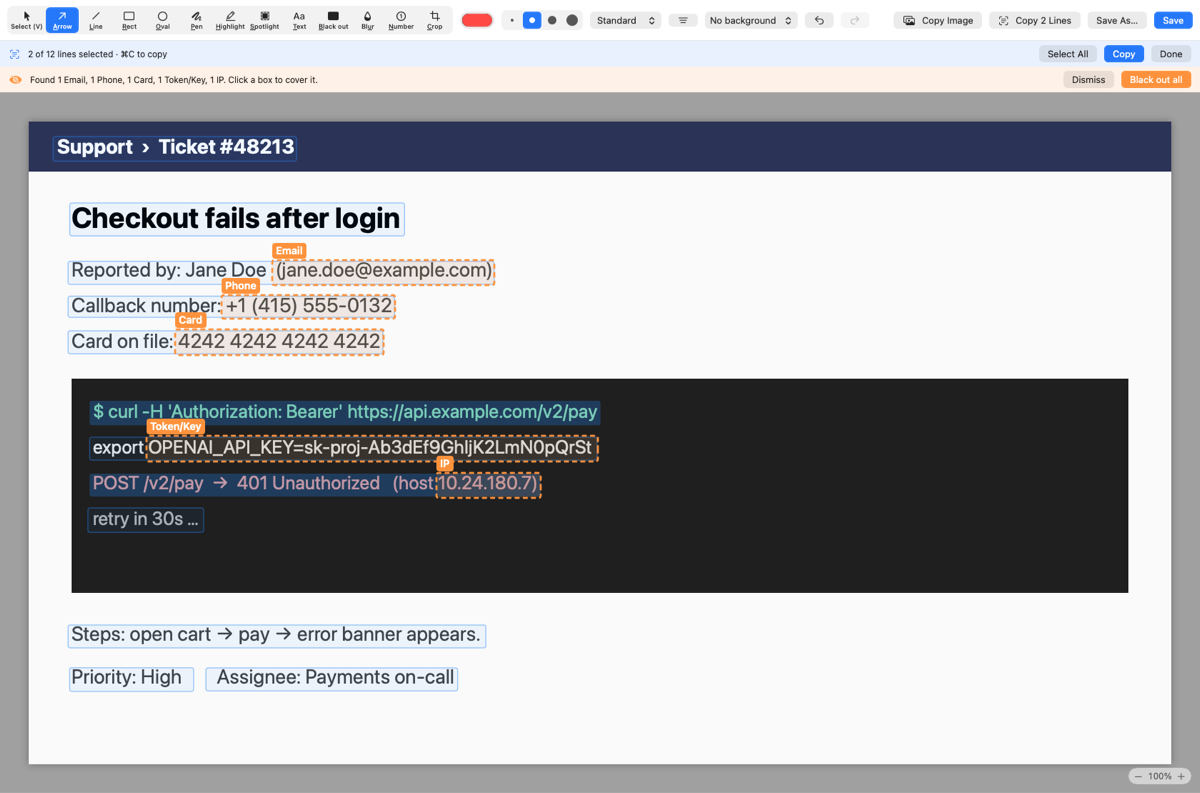
Emails, phone numbers, card numbers, API keys and faces are spotted on-device the moment you capture. One click covers them with solid bars.
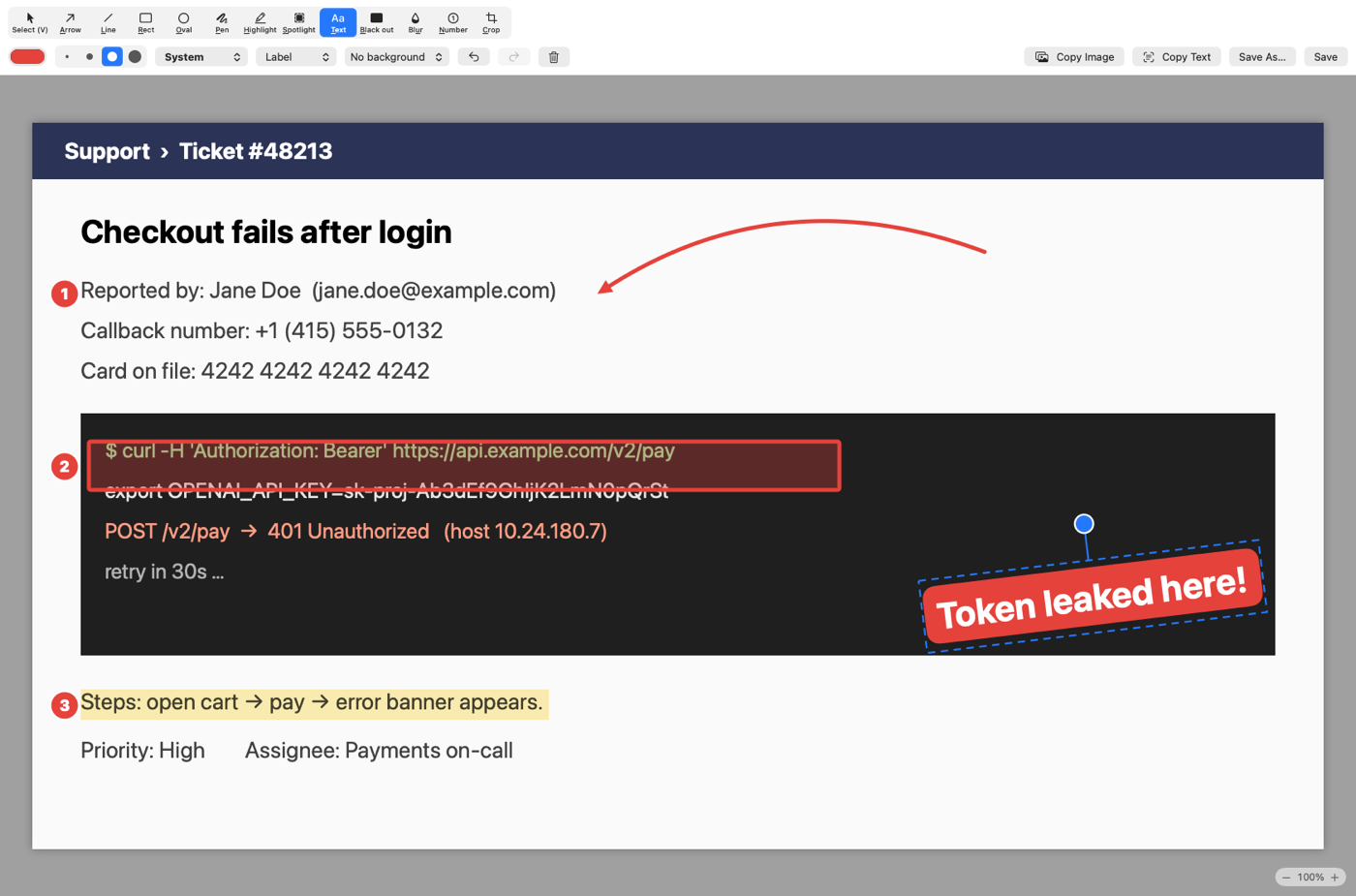
Arrows, shapes, text, highlights and numbered steps. Move, restyle and undo everything.
Capture a whole page or chat into one tall image. Sticky headers don’t repeat.
On-device OCR turns any part of your screen into text on your clipboard.
Record a region of your screen and drop it straight into a bug report.
Float a screenshot above your work, and reopen recent captures any time.
No account, no cloud, no tracking. Your screenshots never leave your Mac.
Real screenshots of the editor. Secrets are flagged in orange; one click covers them with solid bars.


Clipveil points things out. Nothing is hidden or copied until you say so.


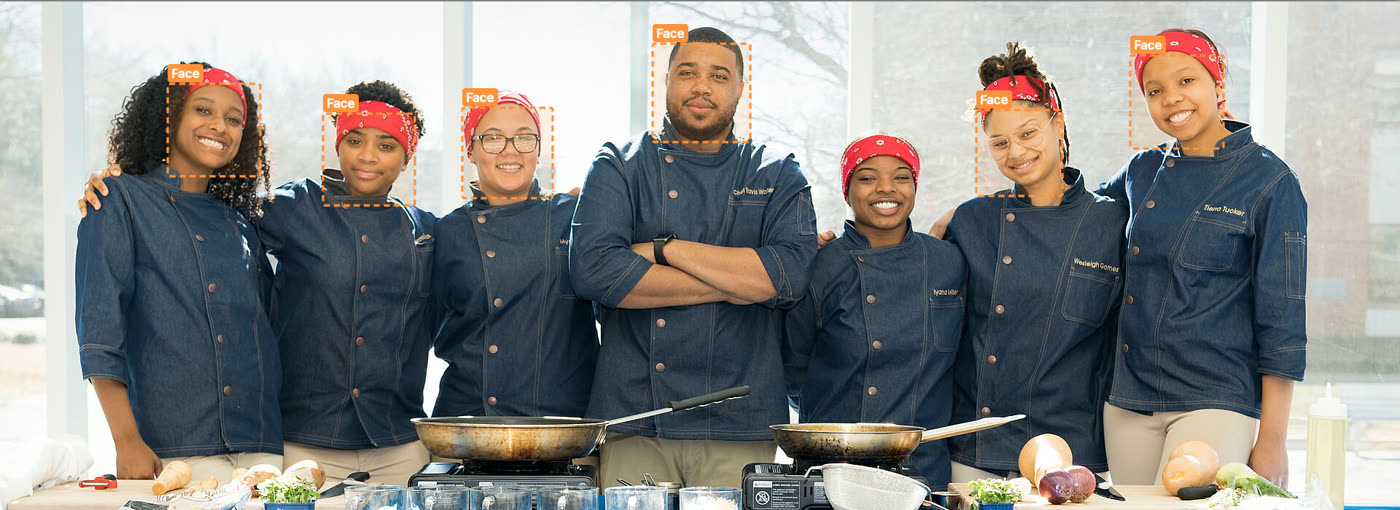
Every face Clipveil finds gets an orange outline — it never hides anyone without asking. Click the ones that shouldn't be shared, or hit Black out all. Missed one? Draw a mosaic over it in a second. Prefer hands-off? Automatic mode covers faces as you capture.
Double-click any line of text in a screenshot and press ⌘C. Line breaks and columns are kept, so tables paste straight into a spreadsheet. ⌃⇧4 grabs text from anywhere on screen — no screenshot needed. Recognition runs on your Mac.
Everything you need to explain a screenshot, nothing you have to learn.
Every download starts with 14 days of Pro. After that, keep the free version forever — or keep Pro with a one-time purchase.
No. Download, grant Screen Recording permission, and start capturing. A license key is only needed for Pro.
Never. Capturing, OCR and editing all happen on your Mac. The only network request is a license check for Pro.
Clipveil keeps working as the free version. Pro features show an upgrade prompt.
Yes — full refund within 14 days, no questions asked. See the refund policy.
A Pro license activates on 2 Macs. You can move it by deactivating from the License window.